 button and
select the option in the pop-up menu.
button and
select the option in the pop-up menu. Tip of the Month for: April 2013
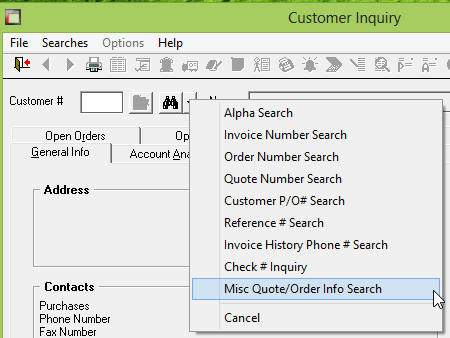
Miscellaneous Open Quote/Order Info Search in Customer Inquiry
When trying to find a customer in Customer Inquiry, you can
now perform a search to find that customer based upon
certain pieces of information found on any Open Quotes or
Orders. To access this "Misc Quote/Order Info Search",
you must click the button and
select the option in the pop-up menu.
In the preceding search window, you can enter in the search text, customer number, date range, and whether you want to search quotes and/or orders for this information. The search text is used to compare a number of different fields including: Ship To Address/Phone, Sold To Address/Phone, Reference #, Customer P/O #, Bill of Lading (not including Tracking #'s), and other fields from the Quote/Order Entry Header fields.
After the search is through, you will be presented with a choice of any matching quotes and/or orders to select from. Once the selection is made, Customer Inquiry will take you to that exact quote or order for that particular customer.